
A 40 GiB Google Cloud snapshot taken in Johannesburg came back as a running virtual machine, data attached and SSH answering, in 100 seconds. Restored into Belgium instead, it took 185. Neither is instant, neither is long, and both were beaten by the step most recovery runbooks leave out: checking the data took 374 seconds.
We measured this because a cloud recovery plan usually rests on one sentence ("we take snapshots") and no number. CloudSpinx designs and tests disaster recovery for teams in Kenya, and Johannesburg (africa-south1) is the Google Cloud region nearest them, so that is where the lab ran: a 200 GiB pd-balanced disk holding forty 1 GiB files of random data, snapshotted with the VM running, then restored into two zones in Johannesburg and two in Belgium.
The default snapshot fails in Johannesburg
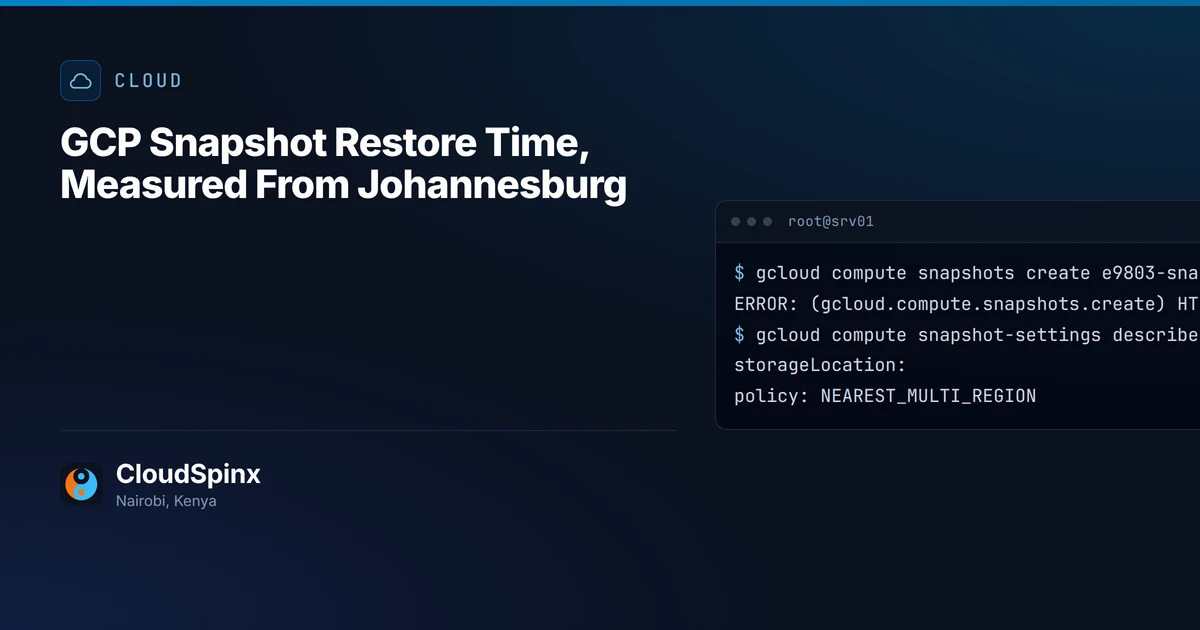
Before any timing, this. On a project that had never touched its snapshot settings, a plain snapshot of a Johannesburg disk failed, twice:
$ gcloud compute snapshots create e9803-snap-default --source-disk e9803-data --source-disk-zone africa-south1-a
ERROR: (gcloud.compute.snapshots.create) HTTPError 400: Invalid resource usage: 'Invalid value for storage location: africa'.
$ gcloud compute snapshot-settings describe
storageLocation:
  policy: NEAREST_MULTI_REGION
The default policy stores a snapshot in the nearest Cloud Storage multi-region, and Cloud Storage has three: ASIA, EU and US. Johannesburg is a region with no multi-region above it, so the default resolves to "africa", which does not exist.
Two fixes, both in Google's docs. Pass --storage-location africa-south1 on every snapshot and schedule, or change the project once with gcloud compute snapshot-settings update --storage-location-policy=local-region. We used the flag, because the project setting changes every disk in the project and the lab shared one.
A manual snapshot at least fails in your face. A schedule does not. We created an hourly snapshot schedule in africa-south1 without a storage location and attached it to the same disk: both commands succeeded. At 20:14 UTC the schedule fired, failed with the same "Invalid value for storage location: africa", and left nothing behind but an ERROR line in the project's system-event audit log. At 21:04 the snapshot list was still empty. That is the failure worth an alert: a backup schedule that exists, is attached, and has never produced a backup.
What a restore costs in seconds
Ranges are the fastest and slowest of 2 runs in Johannesburg and 3 in Belgium, one of them from a copy stored in the EU.
Creating a disk from the snapshot took 32 and 52 seconds in Johannesburg zones. Into Belgium it took 137 and 193, and 132 from a second copy we had stored in the EU. Instance creation added 12 to 15 seconds and the guest booting to SSH another 33 to 36, which is why the totals land at 100 and 185. Two to three runs per cell is a sample, not a distribution, and the spread inside it (32 against 52, 137 against 193) is the honest headline.
Plan on the slow end.
And this is one disk. With twenty, start the restores together rather than in a loop, and know that Google only guarantees six disk creates from one snapshot per target zone per hour.
No warm-up after the restore
This is where Google Cloud and AWS part ways. We read the first 42 GiB of the Johannesburg and Belgian restores with fio and got 196 to 198 MiB/s from the first ten seconds to the last, identical to the source disk and exactly what Google's formula gives for 200 GiB of pd-balanced (0.28 per GiB plus 140). Google's restore documentation says the new disk "can immediately achieve its maximum performance and doesn't require pre-warming", and that is what we saw.
On AWS, a volume created from a snapshot pulls its blocks from S3 as they are first read, and AWS warns it "might experience increased I/O latency and decreased performance" until that finishes, which is why AWS sells fast snapshot restore and a provisioned initialization rate. If your recovery estimate was written for EBS, the Google number is shorter than you think. If it was written for Google, do not carry it to AWS unchanged. Our SQL Server DR costing on AWS has the other side of that.
Taking the snapshot needs no long pause
The first full snapshot of the 40 GiB reached UPLOADING at 20 seconds and READY at 241. A crash-consistent snapshot, the default, needs no pause at all. If you freeze the application for a consistent copy, Google says it can resume once the snapshot is UPLOADING: 20 seconds here, not the four minutes to READY. After 2 GiB of new writes, the next snapshot was UPLOADING at 13 seconds and READY at 63, storing 2.1 GB: only the change.
The limit worth knowing sits on the other side. A snapshot schedule runs at most hourly, and Google starts it somewhere within the hour after the time you set. Scripted snapshots are capped at six per disk per hour. If the business says five minutes of data loss, snapshots are the wrong tool and you need replication.
Every snapshot here is crash consistent. Mounting the Belgian copy, the kernel logged EXT4-fs (sdb): recovery complete, a journal replay, and then all 40 checksums matched. A database would likely replay its own log on top, as Google's snapshot guidance warns; whether it comes back clean is a question you answer by restoring it, not by reading this.
A copy in Europe is a second full copy
Keeping a copy outside the region is the reason most teams snapshot at all. When we snapshotted the same disk into the EU after two local snapshots already existed, it stored 45.1 GB and took 251 seconds: a full copy, with nothing carried over from the Johannesburg chain.
At list price, the 40 GiB Johannesburg snapshot costs about USD 2.20 a month and the EU copy about USD 3.15, against USD 21.96 for the 200 GiB disk itself, because snapshots bill the bytes stored and disks bill the size provisioned. Google also bills network when a snapshot is created in, or restored to, a region other than the disk's, a charge we did not price here. Even so, money is not what decides this. The decision is whether a Johannesburg outage should also take your recovery copy with it, and for anything regulated, where the data is allowed to sit answers that before the price does.
The 374 seconds nobody budgets
Restoring took just over three minutes at worst. Proving the restored files were the files we snapshotted took more than six.
On a real system that check is an application smoke test, a row count against the source, a login that works, and it belongs in the recovery time objective, because until it passes nobody should send traffic to the copy. Pointing that traffic is its own wait, covered in DNS failover and TTL.
A single VM with a disk under a few hundred gigabytes, a schedule with the storage location set and a restore you have run once: you do not need us for that. When there are a dozen servers, a database, a copy that has to sit somewhere specific and a number the board signed, the restore order and the check become the hard part. On recovery we build, that redundancy is what our 99.99% HA uptime SLA is signed against.
Write "snapshot restore test" in "What do you need?" on the disaster recovery scoping form and choose "Testing and drills". In "Anything we should know?", list each disk's size and type, the snapshot schedule and where its snapshots are stored (gcloud compute snapshots list --format="table(name,diskSizeGb,storageLocations)" prints it), and the recovery time you are held to. Long output goes on WhatsApp at +254 713 403 044. You get back a timed restore of your own disks, the order to bring them up, and the settings that fail first.