
Ask how long Kubernetes takes to get over a node failure and the answer is usually one number. We cut the power to a worker and got four: one workload back in 85 seconds, one at 5 minutes 50, one that ran at half capacity until we changed a field in its spec, and a StatefulSet that stayed down until somebody typed a command.
CloudSpinx designs and runs Kubernetes clusters in Kenya, in the cloud and on hardware in Nairobi, through our managed Kubernetes service, so we ran the failure on purpose before writing about it. Three Proxmox VMs running k3s v1.36.5, no timing flag changed, one worker stopped hard, and a clock on every pod, endpoint and request. Every measured time below comes from that run; the defaults are quoted from the Kubernetes documentation.
How long before Kubernetes moves pods off a failed node?
Five minutes and fifty seconds on default settings, and that is only when the replacement gets created. Our single-replica Deployment was running again on the surviving node 350 seconds after the power went.
Two timers make that number. The controller manager waits out --node-monitor-grace-period, 50 seconds by default, with no heartbeat before it marks the node Unknown and taints it node.kubernetes.io/unreachable. Ours went NotReady at 48.5 seconds, a little early, because the 50 counts from the node's last heartbeat and the kubelet renews its lease every 10 seconds. Then the second timer: every pod that did not set its own toleration for that taint carries one Kubernetes added for it, tolerationSeconds: 300, and the taint-based eviction controller honors it to the second. Eviction landed at 348.5.
Plenty of answers still say 40 seconds for the first timer, and so does one paragraph of Kubernetes' own node status page. That was the default until the v1.32.0 release raised it to 50, so a current cluster's stock total is 5:50, not 5:40. A cluster old enough to still default to 40 is also past upstream end of life, which costs money of its own.
For scale, a VM under Proxmox HA is typically running again about two minutes after its node dies. A single-replica pod on stock Kubernetes takes nearly three times as long.
- running
- degraded
- down
The two-replica row looks safe and is not: with taints ignored, the spread rule counted the dead worker and the tainted control plane as empty places pods belong, so capacity stayed halved until it honored taints.
The first 50 seconds: Kubernetes still routes traffic to the dead pod
Two replicas on two nodes is the standard advice, and it is right. It is also not instant. Until the control plane gives up on the node, the dead pod stays ready in the Service's endpoints and kube-proxy keeps sending it a share of the requests.
We sent requests to the Service one after another through the whole failure, with a 0.2-second pause between them and a one-second timeout on each. In the first 50 seconds after the power went, 81 requests left and 33 timed out; every one that was answered came from the pod on the live node. The last timeout started at 49.7 seconds, about a second after the dead pod was marked not ready in the endpoints, and the 87 requests in the next 20 seconds were all answered.
- answered
- timed out after 1 s
Readiness probes cannot shorten this window. They run in the kubelet on the node that died, so the pod is only marked unready when the control plane gives up on the node.
Readiness probes do not shorten this, which surprises people. The probe runs in the kubelet on the failed node, so when the node dies the probe dies with it, and the pod is only marked unready when the control plane marks the node. Clients that retry on a short timeout ride it out. Clients that wait a long time and never retry are where your users feel it.
Shortening the 300 seconds, and what it costs you
tolerationSeconds is per pod. Our fast Deployment set it to 30 for both taints:
tolerations:
- key: node.kubernetes.io/unreachable
  operator: Exists
  effect: NoExecute
  tolerationSeconds: 30
- key: node.kubernetes.io/not-ready
  operator: Exists
  effect: NoExecute
  tolerationSeconds: 30
It was evicted at 78.5 seconds and running on the other node at 85. The grace period always runs first, so even a toleration of zero leaves you near 50 seconds. On a cluster where you own the control plane, the kube-apiserver flags --default-unreachable-toleration-seconds and --default-not-ready-toleration-seconds change the toleration added to every new pod that does not set its own.

The cost is churn. A node that drops off the network for two minutes during a switch reboot now gets its pods evicted and rescheduled, and the documentation warns that pods marked for deletion "may continue to run on the partitioned node" until it reconnects. For stateless pods, fine. For anything holding a lock, leave the 300 alone and fix the design.
Why the StatefulSet never came back by itself
At 348.5 seconds db-0 was marked for deletion along with the other pods on the dead node that carried the default toleration. Then nothing happened. It sat in Terminating, and the StatefulSet created no replacement, because a pod named db-0 still existed and a StatefulSet guarantees at most one pod per identity. Deleting that pod is the kubelet's job once its containers stop, and the kubelet was on the machine with no power.
The non-graceful node shutdown documentation is blunt: if the node does not come back, "these pods will be stuck in terminating status on the shutdown node forever." A power cut is the plainest case of it, since the kubelet gets no warning at all.
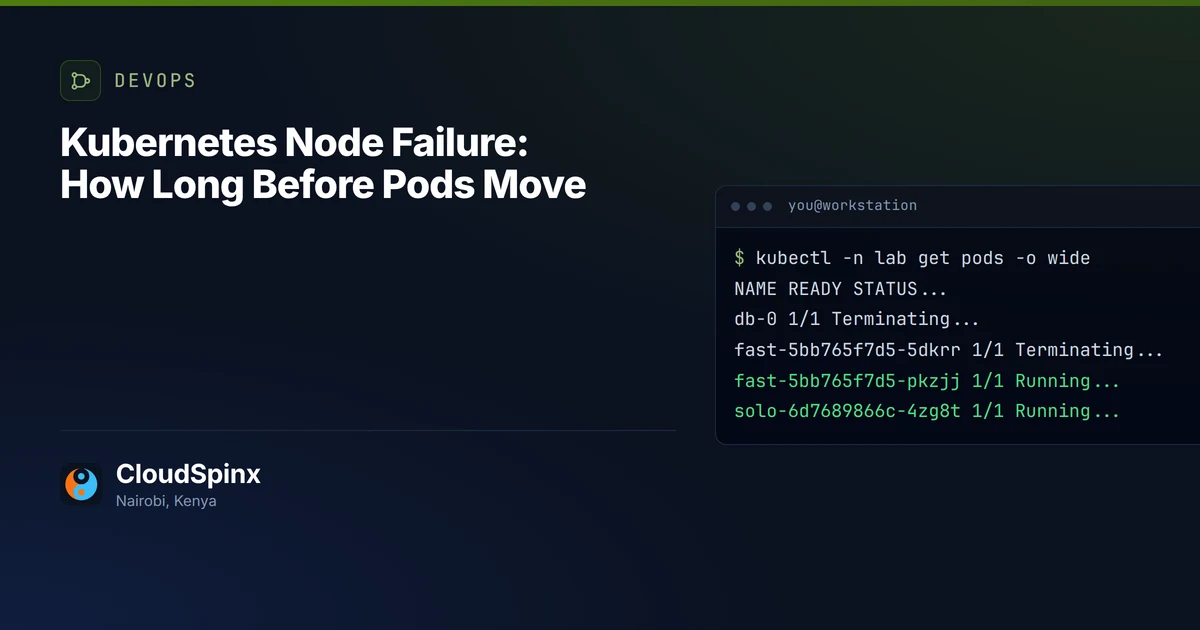
This was the namespace ten minutes in, moments before we stepped in (columns trimmed, node names simplified):
$ kubectl -n lab get pods -o wide
NAME                    READY   STATUS        NODE
db-0                    1/1     Terminating   worker-a1
fast-5bb765f7d5-5dkrr   1/1     Terminating   worker-a1
fast-5bb765f7d5-pkzjj   1/1     Running       worker-a2
solo-6d7689866c-4zg8t   1/1     Running       worker-a2
solo-6d7689866c-nvlp5   1/1     Terminating   worker-a1
web-69748fd9b5-ptst8    1/1     Terminating   worker-a1
web-69748fd9b5-qghtt    0/1     Pending       <none>
web-69748fd9b5-v6c8h    1/1     Running       worker-a2
READY 1/1 on the dead node is the container status its kubelet last reported. The pods' own Ready condition had been False since 48.7 seconds. We left db-0 like that for about 260 seconds to be sure, then told the cluster the node was really gone:
kubectl taint nodes worker-a1 node.kubernetes.io/out-of-service=nodeshutdown:NoExecutedb-0 was scheduled to the surviving node and ready about 6 seconds later. Every leftover pod on the dead node was force-deleted in the same pass. Our db had no volume; with one attached, the documentation says the detach also happens immediately instead of after the 6 minutes Kubernetes otherwise waits before forcing it.
The rule that makes this safe is the one people skip. Apply the taint only once you have confirmed the node is powered off, not rebooting and not cut off by a network fault. Get it wrong on a node that is alive and partitioned and two copies of db-0 can run at once, which is the exact thing a StatefulSet exists to prevent. That check is a human or a fencing job, so a stateful workload on Kubernetes needs a written runbook and someone on call to run it. Then remove the taint by hand once the node is repaired, because Kubernetes will not. It is a fair argument for keeping the primary database as a managed service outside the cluster and leaving Kubernetes the stateless tier.
If your databases run as StatefulSets and nobody has rehearsed this, that is the first test worth booking. Send the manifests through the managed Kubernetes scoping form and we will tell you which workloads wait for a person.
The spread rule that kept us at half capacity
This one we did not go looking for. Our two-replica web Deployment kept its replicas on separate nodes the textbook way, a topology spread constraint with whenUnsatisfiable: DoNotSchedule. When its pod on the dead node was evicted, the replacement never scheduled. Ten minutes after the power went it was still Pending, out-of-service taint and all, with this from the scheduler:
0/3 nodes are available: 1 node(s) didn't match pod topology spread constraints, 2 node(s) had untolerated taint(s)
With nodeTaintsPolicy unset, topology spread constraints ignore node taints, so a node counts as a place the pods should spread across even when its taints keep the pod off it. In our cluster that put two empty domains in the count: the dead worker, still a Node object, and the control-plane node, whose NoSchedule taint meant it never held a web pod. A second replica on the only live worker would make the skew 2 against a limit of 1, so the scheduler refused. Deleting the dead Node would not have freed it either, because the control plane still counted as empty. For as long as the dead Node object stays, or a tainted node like our control plane is counted, the rule you added for resilience keeps the workload a replica short once every live worker already holds one.
One field fixes it:
topologySpreadConstraints:
- maxSkew: 1
  topologyKey: kubernetes.io/hostname
  whenUnsatisfiable: DoNotSchedule
  nodeTaintsPolicy: Honor
  labelSelector:
    matchLabels:
      app: web
With Honor, a tainted node the pod does not tolerate drops out of the count. We patched it in place and both replicas were running on the surviving node 2.9 seconds later. The field is GA since Kubernetes 1.33. We applied it after the out-of-service taint, so that is the case we measured; by the documented rule the dead node's own unreachable:NoSchedule taint, which the default tolerations do not cover, excludes it from the count either way. whenUnsatisfiable: ScheduleAnyway also lets the pod schedule, at the price of a softer spread every day, and we did not run that variant. Nor did we test EKS, GKE or AKS, so check what your provider does when a node stops reporting.
Who needs this fixed, and who does not
Our 99.99% HA uptime SLA allows 4.4 minutes of downtime a month. One dead node on stock settings took a single-replica workload down for 5 minutes 50 seconds in this lab, more than the month's allowance in one event. So that figure belongs to redundancy we build, never to a single replica on defaults, and the building is what this post just walked through: more than one replica, a spread rule that honors taints, tolerations tuned where it is safe, and a runbook for every StatefulSet.
If everything in your cluster is stateless, runs at least two replicas on different nodes and has no hard spread rule, a dead node costs you about a minute of partial errors and a replacement around the six-minute mark. Most teams can live with that, and you do not need to pay anyone to keep it.
Everyone else should test it rather than read about it. Send kubectl get deploy,sts -A -o yaml from one cluster, with secret values stripped, through the scoping form or on WhatsApp at +254 713 403 044. We mark every workload with how long it stays down when a node dies on your settings and the change that shortens it, free and with nothing to sign. If you want the numbers from your own hardware, we scope the same power-off test on your staging cluster and hand back the timings the way this lab recorded them. It is also a good question to put to anyone you are thinking of hiring for Kubernetes: ask them what happens to a StatefulSet when its node loses power, and how long.