
Most Kenyan dev teams we audit deploy the same way. Someone opens a terminal, SSHes into production, runs git pull, restarts the process manager, and watches the logs for a minute. It works. It keeps working right up to the evening somebody is tired and pulls the wrong branch.
CloudSpinx builds and runs deployment pipelines for engineering teams in Kenya and across East Africa, which mostly means we get called after that evening rather than before it. The fix is not complicated and it is not expensive, which is the part teams get wrong in both directions: some assume a pipeline is a platform-engineering project, others assume it is free forever. Below is a working GitHub Actions pipeline, what it actually costs once you pass the included minutes, the GitLab quirk that catches people, and the point where running your own runner starts making sense. Our DevOps practice does this work weekly, so the numbers here are the ones we quote against.
The SSH deploy, and what it really risks
The failure everyone worries about is the wrong branch reaching production. That is real, and it is the least of it.
The bigger problem is that a manual deploy has no gate. Nothing runs your tests, so a change that breaks checkout ships exactly as fast as one that does not. Nothing records what went out, so when something breaks on Tuesday nobody can say what changed on Monday. And the knowledge lives in one person's shell history, which means the deploy waits whenever that person is on leave, in a meeting, or asleep.
A pipeline fixes the third problem on day one, which is usually the one that was quietly costing the team the most.
A GitHub Actions pipeline that does the job
GitHub Actions is what we reach for on most engagements. Public repositories run the standard runners for free; private repositories get an included monthly allowance, which is where the cost conversation starts.
Here is a pipeline shaped like the ones we ship for Node.js applications:
name: Deploy to Production

on:
  push:
    branches: [main]

jobs:
  test:
    runs-on: ubuntu-latest
    steps:
      - uses: actions/checkout@v4

      - name: Setup Node.js
        uses: actions/setup-node@v4
        with:
          node-version: '20'
          cache: 'npm'

      - name: Install dependencies
        run: npm ci

      - name: Run linter
        run: npm run lint

      - name: Run tests
        run: npm test

      - name: Run security audit
        run: npm audit --production

  deploy:
    needs: test
    runs-on: ubuntu-latest
    if: github.ref == 'refs/heads/main'
    steps:
      - uses: actions/checkout@v4

      - name: Deploy to server
        uses: appleboy/ssh-action@v1
        with:
          host: ${{ secrets.SERVER_HOST }}
          username: ${{ secrets.SERVER_USER }}
          key: ${{ secrets.SSH_PRIVATE_KEY }}
          script: |
            cd /var/www/myapp
            git pull origin main
            npm ci --production
            pm2 reload ecosystem.config.js
Two lines in there do most of the work. needs: test means the deploy job does not start unless every check passed, so a failing test blocks the release rather than annoying somebody in Slack. And if: github.ref == 'refs/heads/main' means the wrong branch physically cannot reach the server, because no other ref triggers the job.
The SSH key sits in encrypted secrets rather than in somebody's .bashrc. That is worth doing properly: a deploy key with write access to your production box is the most valuable credential most small teams own, and it is the one we most often find pasted into a group chat. Key handling is part of the security hardening we do alongside the pipeline.
A run like this finishes in roughly 2 to 4 minutes on a small application. Hold onto that number, because it is what turns minutes into money.
What GitHub Actions costs after the included minutes run out
Nothing, until you cross the allowance. Then it is metered per minute, and the rate depends entirely on which runner the workflow asks for.
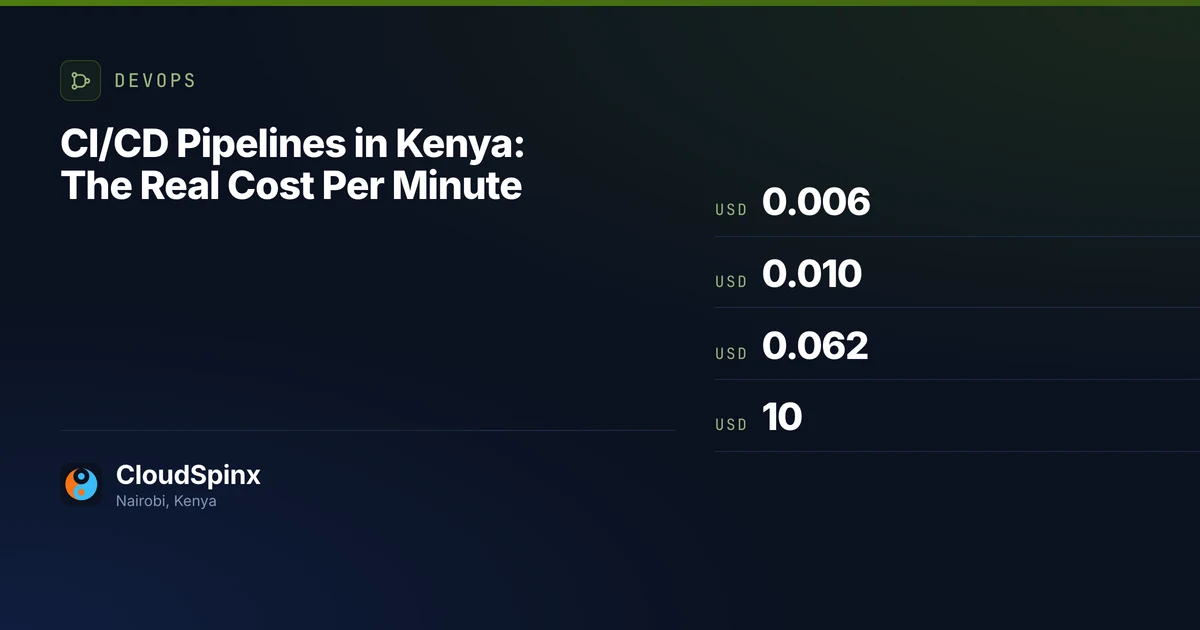
On private repositories GitHub includes 2,000 minutes a month on Free and 3,000 on Team. Past that, a Linux 2-core runner is USD 0.006 a minute, Windows is USD 0.010, and macOS is USD 0.062, all from GitHub's published billing rates. Self-hosted runners are not charged at all.
- Linux 2-core, USD 0.006/min
- Windows, USD 0.010/min
- macOS, USD 0.062/min
The rate is per minute of a job, rounded up, and it is charged on private repositories only. Public repositories run the standard runners for free, which is why an open-source project never meets this chart.
Put your own numbers through it. A three-minute pipeline running twenty times a week is about 260 minutes a month, comfortably inside the free allowance, and this whole section is academic. The same pipeline on a team pushing forty times a day is roughly 3,600 minutes, so on the Free plan you are paying for 1,600 of them, which is USD 10. Still not a line item anybody escalates.
The number that surprises people is the macOS one. If you build an iOS app, every minute costs about ten times a Linux minute, and a mobile build is rarely three minutes. That is the case where the runner choice, not the amount of work, decides the bill.
GitLab CI, and the cost factor that catches people
The same pipeline in GitLab CI:
stages:
  - test
  - deploy

test:
  stage: test
  image: node:20
  cache:
    paths:
      - node_modules/
  script:
    - npm ci
    - npm run lint
    - npm test

deploy_production:
  stage: deploy
  only:
    - main
  script:
    - apt-get update && apt-get install -y rsync
    - rsync -avz --delete ./dist/ $SERVER_USER@$SERVER_HOST:/var/www/myapp/
    - ssh $SERVER_USER@$SERVER_HOST "cd /var/www/myapp && pm2 reload all"
  environment:
    name: production
GitLab's free tier includes 400 compute minutes a month, which is a lot tighter than it sounds. At three minutes a run that is about 133 runs, so roughly four deploys a day before the quota is gone. A team pushing ten times a day will run out in the second week of every month.
Then there is the part that catches people, and it is in GitLab's own compute-minutes documentation rather than on the pricing page. GitLab minutes are not wall-clock minutes. Each runner size carries a cost factor, and your quota is charged job duration multiplied by that factor. A Linux x86-64 small instance has a factor of 1, so a ten-minute job costs ten minutes. The 2xlarge has a factor of 12, so the same ten-minute job costs 120 minutes of your 400. Move a slow test suite onto a bigger runner to make it faster and you can burn a third of your monthly quota in one afternoon without the job duration looking unusual.
Neither platform is the wrong answer. If your code already lives in one of them, use that one; the pipeline definitions above are close enough that switching for CI alone is not worth the migration.
When a self-hosted runner is actually cheaper
Later than most people think, and this is where teams overspend to save money.
The arithmetic is easy because the overage rate is flat. Ten thousand extra Linux minutes a month is USD 60. Twenty thousand is USD 120. Against that you are weighing a machine that has to be provisioned, patched, monitored, and kept from filling its disk with Docker layers, plus the engineer hours to do it. On a small team those hours cost more than the runner bill for a long time.
Two situations flip it. The first is scale: once you are consistently past twenty or thirty thousand billable minutes, a couple of persistent runners on your own cloud infrastructure genuinely wins, and the operational load is now spread over enough builds to be worth carrying. The second has nothing to do with cost. If your build needs to reach a database or an internal service that is not exposed to the internet, a hosted runner cannot get there, and a self-hosted runner inside your network is the only option. That is the reason most of our clients end up with one.
If you are running self-hosted runners against a Kubernetes cluster, the runner controller becomes one more thing in the cluster to keep alive, which is a different conversation and one our Kubernetes practice picks up.

When CI/CD is genuinely overkill
We would rather say this than sell you a pipeline you do not need.
Skip it on a static site that changes once a month, on a solo project with no users, and on an internal tool where three people would not notice five minutes of downtime. In the first two weeks of a prototype, automation is a distraction from finding out whether anybody wants the thing.
The crossover is not a team size or a deploy count. It is the first time a deploy goes wrong in a way that reaches a customer, because that is when the cost of the manual process stops being your inconvenience and starts being someone else's. Teams that already run a payment integration usually pass that point before they notice, since a failed checkout is visible immediately and to exactly the wrong audience.
If you want a second opinion on where your team sits, send us your current deploy process, in whatever shape it exists, even if that shape is a paragraph describing what one person does on Fridays. We will tell you what we would automate first and what we would leave alone, and if the honest answer is that you do not need us yet, that is what you will get told. Teams comparing that against hiring for it will find our read on what a DevOps engagement should produce useful too.
Download: CI/CD Pipelines in Kenya: The Real Cost Per Minute
Enter your work email. We'll send the PDF download link to your inbox.