
A 1,448-byte TCP segment leaves a server at head office, reaches the router, and does not fit into the WireGuard tunnel to the branch, which carries 1,420 bytes a packet. The router drops it and sends the server an ICMP "fragmentation needed" message carrying the tunnel's MTU. The server's firewall drops that message too. So the server never shrinks anything, keeps resending the same 1,448 bytes on a backoff timer, and the person at the branch has a VPN that is connected, pings that answer, and some sites and SSH sessions that never finish loading.
That chain is the path MTU black hole, and we built it on purpose: one Ubuntu 26.04 guest holding an office PC, a branch router, a head-office router and a server in separate network namespaces, WireGuard on the Linux 7.0 kernel at its default MTU, and one rule in the server's firewall dropping ICMP "destination unreachable", one of the things a block-all-ICMP hardening rule throws away. Client and server ran stock OpenSSH 10.2 and OpenSSL 3.5. Every first attempt started with nothing cached about the path, and each retry ran straight after it with nothing cleared.
What hangs, and what still loads
Anything whose reply from the server includes a packet bigger than the tunnel's 1,420 bytes hangs. Anything smaller gets through, which is why the fault looks random from a desk: a 3-byte page loaded every time and a 5 MB file never started.
| Through the tunnel | ICMP allowed | Black hole | Black hole, MSS clamped | Black hole, tcp_mtu_probing = 1 |
|---|---|---|---|---|
| HTTPS handshake, OpenSSL default | 1.7 s | hung | 1.5 s | 5.7 s |
| SSH login, OpenSSH default | 2.0 s | hung at key exchange | 1.5 s | 5.5 s |
| SSH login, curve25519 only | 2.0 s | 1.3 to 1.9 s | 2.1 s | 2.1 s |
| 3-byte web page | loads | loads | loads | loads |
| 5 MB download | 2.3 s | 0 bytes in 55 s | 1.0 s | 7.9 s |
| 1,400-byte UDP datagrams | 4 of 5 | 0 of 5 | 0 of 5 | 0 of 5 |
"Hung" means nothing completed before our 60-second cutoff, in both black-hole runs. The guest ran under emulation on a busy host, so read the durations against each other, not against your hardware. Note the first column: even with ICMP working, the first large UDP datagram was lost, because a too-big datagram sent with don't-fragment set is dropped, and only the ones after it benefit from the router's reply.
SSH hangs at expecting SSH2_MSG_KEX_ECDH_REPLY
ssh -v stopped on the same line in both black-hole runs:
debug1: kex: algorithm: mlkem768x25519-sha256
debug1: kex: host key algorithm: ssh-ed25519
debug1: expecting SSH2_MSG_KEX_ECDH_REPLY
OpenSSH 10.0 made the hybrid post-quantum algorithm the default for key agreement, and its reply is large. Our server's answer to the key exchange came to 1,580 bytes. TCP split it into 1,448 and 132. The 132 arrived. The 1,448, which is 1,500 bytes once the IP and TCP headers go on, was sent 10 times over 55 seconds, after one quick resend each wait about double the last, until our 60-second cutoff ended the client.
Forcing -o KexAlgorithms=curve25519-sha256 connected through the same black hole in 1.3 to 1.9 seconds, because nothing in that handshake crossed 1,420 bytes in either direction. Threads about this hang list a KexAlgorithms override among the fixes. It is a diagnostic. It proves the path eats big packets and does nothing for the next thing that sends them, like the 5 MB download above.
Why it works on the second try
Run the HTTPS handshake again straight after it hangs and it completes, in 1.03 and 1.27 seconds in our two runs. SSH did the same on the retry, in 1.44 and 1.59 seconds.
The client fixed it, by accident. OpenSSL 3.5 offers a post-quantum key share by default (our test client negotiated X25519MLKEM768 with no key-exchange options set), which made its opening message 1,533 bytes. That is too big for the tunnel as well, but on the branch side nothing blocks ICMP, so the branch router told the client, and the client cached an MTU of 1,420 for that server. Its next connection asked the server for segments of at most 1,380 bytes instead of 1,460, and every one fit. SSH's 1,568-byte opening key-exchange message did the same thing to the client.
With an X25519-only handshake the client's opening message was 299 bytes, it learned nothing, and the retry hung exactly like the first attempt. The server's whole reply was one 1,379-byte segment, 11 bytes too big once the headers went on.
So with OpenSSH 10 and OpenSSL 3.5 defaults on a Linux client, the black hole stops looking like an outage. The first SSH or HTTPS connection to a server hangs and the retry works, because the client's own oversized hello taught it the MTU. A client that sends nothing large never learns it: the X25519-only TLS handshake hung on all three tries across our two runs, retry included. Linux keeps that cached value for whatever net.ipv4.route.mtu_expires says, 600 seconds by default, and we did not wait out the expiry to watch the hang come back. "It works if you try twice" is a symptom, not a fix.
Confirm it with one ping from each end
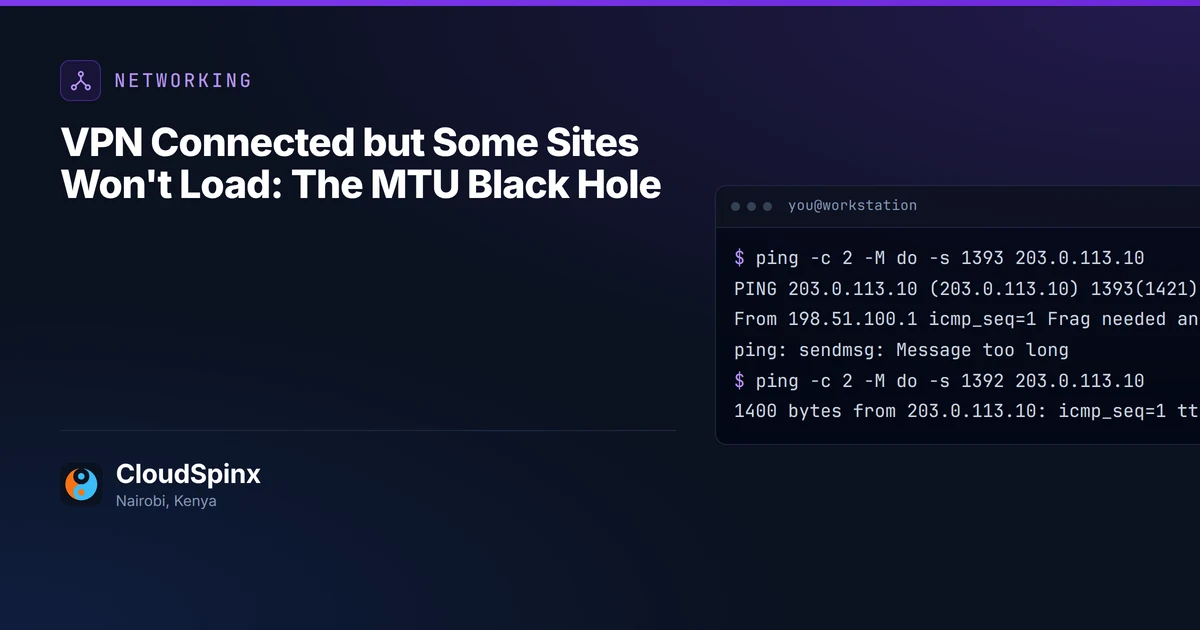
From the branch PC, 1,392 bytes of ping payload plus 28 of headers is the largest packet that fits:
$ ping -c 2 -M do -s 1393 203.0.113.10
PING 203.0.113.10 (203.0.113.10) 1393(1421) bytes of data.
From 198.51.100.1 icmp_seq=1 Frag needed and DF set (mtu = 1420)
ping: sendmsg: Message too long

$ ping -c 2 -M do -s 1392 203.0.113.10
1400 bytes from 203.0.113.10: icmp_seq=1 ttl=62 time=9.49 ms
1400 bytes from 203.0.113.10: icmp_seq=2 ttl=62 time=7.83 ms
From the server, the same 1,393-byte ping went out three times and ping saw nothing, no reply and no error. The router's three "fragmentation needed" answers did reach the server, and its firewall dropped them:
$ ping -c 3 -W 2 -M do -s 1393 198.51.100.10
PING 198.51.100.10 (198.51.100.10) 1393(1421) bytes of data.
3 packets transmitted, 0 received, 100% packet loss, time 2032ms
That asymmetry is the whole diagnosis: the routers tell both ends the size, and only one end gets to hear it. If you cannot get onto the server, ask whoever runs its firewall whether ICMP type 3 is dropped. Run both pings again after an ISP failover changes the path: we did not test a backup line, and its MTU need not match the main one's.
If both pings come out like ours, send them to us on WhatsApp at +254 713 403 044 with the router at each end and we will tell you which side to change.
MSS clamping fixes TCP, and only TCP
Clamping rewrites the maximum segment size inside every TCP handshake that crosses the tunnel, so neither end ever sends a segment that cannot fit. On a Linux router it is one rule, adapted from the nftables wiki, and the wiki says to apply it to both directions of the handshake. We put it on both routers:
table inet mss {
  chain forward {
    type filter hook forward priority mangle; policy accept;
    oifname "wg0" tcp flags syn tcp option maxseg size set rt mtu
  }
}
With the server still dropping ICMP, every TCP test passed first time, and the server retransmitted one segment in the whole run. The 1,400-byte UDP datagrams still arrived 0 of 5. Clamping edits a field in the TCP handshake, and UDP has no handshake to edit.
So clamp, and fix the fault as well. Let ICMP type 3 code 4, "fragmentation needed", through every firewall on the path, the servers' own included, and set the tunnel MTU on purpose instead of inheriting one: our WireGuard came up at 1,420 with no MTU configured anywhere. That number assumes a full 1,500-byte path underneath. IPsec has the same ceiling at a size set by its cipher, hash and NAT traversal, and AWS's table for its Site-to-Site VPN runs from an MTU of 1,446 down to 1,406.
AWS also states that its VPN connections do not support Path MTU Discovery, so on a tunnel to AWS, such as the one backing up a Direct Connect circuit, the clamp belongs at your end. Azure documents its VPN gateway clamping TCP in both directions, at 1,360 bytes for IPv4 over the internet.
tcp_mtu_probing catches it on one server
Linux can find the black hole on its own if you let it. With net.ipv4.tcp_mtu_probing = 1 on the server (the default is 0), the kernel sent the 1,448-byte segment four more times, then at 3.3 seconds resent the same bytes as 1,024 plus 424 and the SSH login went through. The 1,024 is net.ipv4.tcp_base_mss, and the kernel's tcp_timer.c makes the switch once retransmissions have run as long as tcp_retries1 allows, three by default.
Every handshake finished. The ones that met the black hole took 5.5 to 5.7 seconds, against 1.5 to 2 with ICMP working, and the 5 MB download took 7.9 seconds against 2.3. A new connection paid it again unless the client had already learned the MTU itself: an X25519 retry seconds later took 5.6. It covers TCP sent by that one Linux server and nothing else, so the UDP stayed lost, and it does nothing for any other server whose ICMP is dropped.
Clamping makes the complaints stop, and that is the risk. Once logins and downloads work, it is easy never to go back for the ICMP rule, and large UDP sent with don't-fragment set, which is what a Linux socket does by default, keeps getting lost without a ticket to show for it.
CloudSpinx sets up and runs site-to-site links and office networks in Kenya, and the tunnels we run sit on remote monitoring with the links and devices around them. If you manage both routers yourself and they run Linux, the rule above, an ICMP exception on the server's firewall and a tunnel MTU you chose fix everything we broke in this lab, and you do not need us for it. A tunnel with a cloud gateway or a vendor firewall on one end, or several offices hanging off one head office, is where it pays to have someone check every hop at once.
Send the pings from each end of the tunnel pasted into the "Anything we should know?" box (or say which end you cannot reach), the router or gateway at each end, and which connections hang, through the network scoping form choosing "Site-to-site links", or on WhatsApp at +254 713 403 044. You get back which side is dropping the ICMP, the MTU and clamp values for each router, and whether anything on that link sends UDP a clamp cannot save. If we run the links afterwards, monitoring and support for the routers and tunnels come as one monthly figure. Diagnosing it costs you nothing and commits you to nothing.