
Open the Exchange admin center, go to Reports, then Mail flow, and open the SMTP AUTH clients report with the range set to 90 days, the longest it allows. Every sender whose Authentication Protocol column reads Basic Auth signs in to Microsoft 365 with a password: a copier, a scanner, an application, an old POP or IMAP mail client, or whoever holds a stolen one. That sign-in, the username and password typed into a copier's scan to email settings, is what Microsoft disables by default for existing tenants at the end of December 2026.
The dates are in the Exchange team's revised SMTP AUTH timeline, posted in January. Nothing changes before the end of December. Then SMTP AUTH basic authentication goes off by default in existing tenants, and an administrator can still switch it back on. Tenants created after December get basic authentication off by default, with OAuth as the supported method, which matters if you are moving mail to a new tenant next year. In the second half of 2027 Microsoft will announce a date for removing it for good, and once it is gone a device still sending a password gets 550 5.7.30 Basic authentication is not supported for Client Submission.
So switching it back on in January works, until a date nobody has been told yet. CloudSpinx sets up and administers Microsoft 365 for businesses in Kenya, and on a tenant we run we would treat re-enabling as a stopgap for weeks, not a fix, because the same scanner then breaks again on a day Microsoft picks.
Who is already off, and the errors to expect
Some tenants have less to lose. Microsoft's SMTP AUTH page says a tenant with Entra security defaults switched on has SMTP AUTH disabled already. Its setup page adds that SMTP AUTH is disabled for organizations created after January 2020 and can be enabled per mailbox, and its deprecation notes say Microsoft switched it off during the basic authentication retirement in tenants that were not using it. If security defaults are on and a scanner still sends, it is not signing in with a password on smtp.office365.com, and December does nothing to it.
Everyone else should know three more strings. A rejected login comes back as 535 5.7.3 Authentication unsuccessful or 5.7.57 Client not authenticated to send mail, the pair Microsoft's troubleshooting page for printers and scanners lists. The reply quoted in Microsoft's Q&A forum when SMTP AUTH is disabled is 535 5.7.139 Authentication unsuccessful, SmtpClientAuthentication is disabled for the Tenant, and the application in that thread was signing in with OAuth. That detail matters later. SMTP AUTH turned off for the organization means the protocol is gone, not only the password, so an OAuth printer still needs SMTP AUTH left on for its own mailbox.
Five routes into Microsoft 365, and which reach a customer
High Volume Email has its own endpoint, smtp.hve.mx.microsoft, so the organization SMTP AUTH switch does not block it, and its page still documents password sign-in.
Microsoft's setup page for multifunction devices compares the options in one table, and the conditions are where each one gets decided.
OAuth on smtp.office365.com port 587 is the same route with a token instead of a password. It still needs a licensed mailbox (here is what one costs), TLS 1.2 or 1.3, and SMTP AUTH enabled on that mailbox, and it keeps the mailbox limits of 10,000 recipients a day and 30 messages a minute. Microsoft's tip for spotting a device that fails the TLS test: one that recommends or defaults to port 465 does not support the TLS versions client submission needs.
A connector relay hands mail to your tenant's MX host on port 25, and Microsoft identifies your office by a TLS certificate or by "a static IP address that isn't shared with another organization." That second condition is a question for your internet provider, not for Microsoft. A line whose public address changes, or that sits behind the provider's shared NAT, cannot use the IP form, and Microsoft's troubleshooting page warns that a changed address stops relaying to outside recipients until the connector is edited. Port 25 has to be open outbound too, which some providers block. A fixed address is something to ask for when the office's internet lines are next specified, and mail entering this way, or by direct send, belongs in your SPF record, with DKIM and DMARC set up for the domain.
High Volume Email is Microsoft's answer for the scanner that only mails staff. It has its own endpoint, smtp.hve.mx.microsoft on port 587, accounts that take no license, and a price of USD 0.000042 per delivered recipient, billed through an Azure subscription. A copier sending 3,000 scans a month to one person each costs USD 0.126 a month. The page, revised after the December timeline was announced, still documents password sign-in beside OAuth, although a tenant on security defaults gets OAuth only. The catch is the limits: internal recipients only, 50 recipients and 10 MB a message.
Direct send needs no sign-in at all. The device hands mail to your MX host on port 25 like any outside server, and anything addressed outside your tenant is rejected. Microsoft's page says most customers do not need it and that it is working on an option to disable it by default.
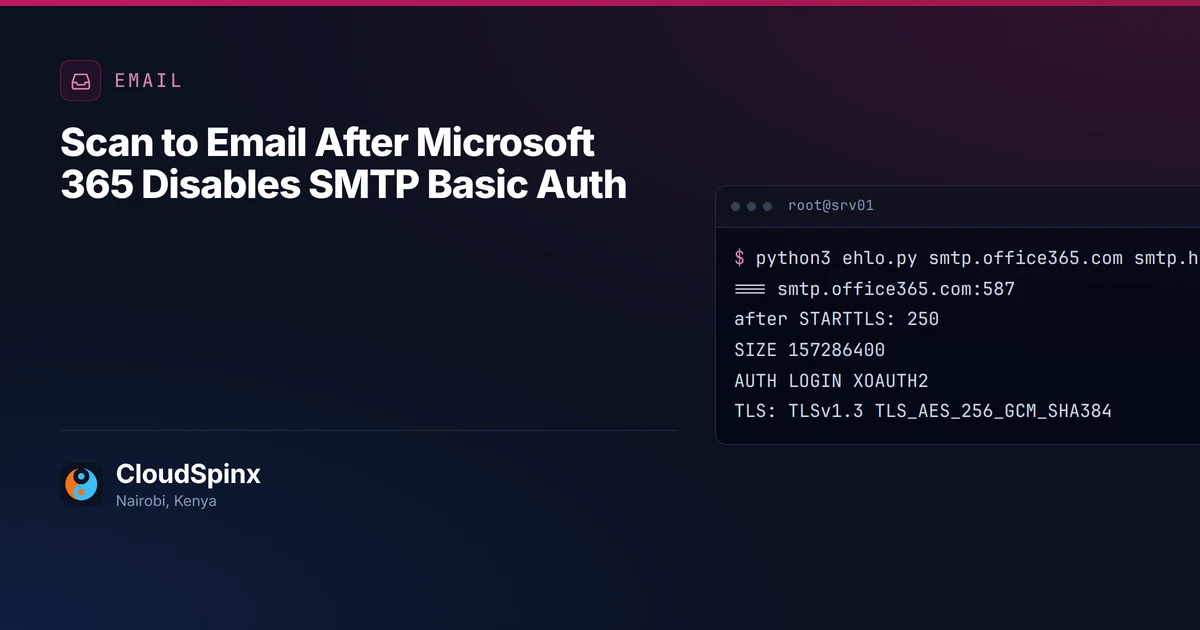
We asked both submission endpoints what they offer, from our side and without logging in (trimmed):
$ python3 ehlo.py smtp.office365.com smtp.hve.mx.microsoft
=== smtp.office365.com:587
after STARTTLS: 250
  SIZE 157286400
  AUTH  LOGIN XOAUTH2
TLS: TLSv1.3 TLS_AES_256_GCM_SHA384
=== smtp.hve.mx.microsoft:587
after STARTTLS: 250
  SIZE 10485760
  AUTH  LOGIN XOAUTH2
TLS: TLSv1.3 TLS_AES_256_GCM_SHA384
Both still advertise LOGIN, the password method, beside XOAUTH2. Whether a password works is decided by the tenant's settings, the mailbox's and any authentication policy, none of which an outside check can see. The HVE endpoint announces a ceiling of 10,485,760 bytes, and that counts the message as sent. Attachments travel base64-encoded, which makes them a little over a third larger once line breaks are counted, so keep the scan file itself under about 7 MB. Bring the scan resolution, or the device's own email size limit if it has one, below that before you move a copier onto HVE. That is the snag in HVE.
Which copiers can do scan to email with OAuth
We read what 11 copier and printer makers publish on their own sites about sending mail to Microsoft 365 with OAuth. Nine document it for at least some models. HP's one clear statement is a no, for LaserJet Pro MFPs, and we found nothing model-specific about OAuth from Toshiba.
| Maker | OAuth sending, per its own pages | What it says about the rest |
|---|---|---|
| Brother | 115 US models listed: 27 ready, 88 after a firmware update | "If your machine is not listed, it does not support OAuth 2.0" |
| Canon | imageRUNNER ADVANCE DX guides: OAuth 2.0 for Exchange Online under Send | the imageCLASS guide we read offers only password SMTP AUTH |
| Epson | a model list, after the latest firmware | none named; the page still dates the change to March 2026 |
| HP | LaserJet Pro MFPs: not supported "as of spring 2026" | offers an HP-run cloud relay where available for your region and printer model; for Enterprise models we found only a firmware fix for an OAuth error in the setup wizard |
| Konica Minolta | firmware for listed bizhub groups | no update planned for models marked N/A or not listed |
| Kyocera | native on listed TASKalfa MZ and ECOSYS models, firmware scheduled for more | a free connector utility on a Windows PC for the rest |
| Lexmark | CX95x guide: smtp.office365.com, port 587, OAuth by device code | the first firmware with it is on pages we could not load |
| Ricoh | listed models, each with a minimum firmware | a separate TLS cipher change cuts off some models even with OAuth |
| Sharp | BP series firmware adds OAuth for SMTP with Microsoft | its Japan page sends unlisted models to another mail service |
| Toshiba | nothing model-specific about OAuth | general advice to check firmware |
| Xerox | firmware across the range | devices without ConnectKey get the Device Code Flow method only |
Every yes is tied to named models, usually with a firmware update attached, and Brother, Konica Minolta and Sharp's Japan page say outright that a model off the list gets no OAuth. So the model number decides the route. On the list, update the firmware where the maker asks for it and move it to OAuth. Off the list, try the maker's own workaround first (Kyocera's connector utility for models off its list, HP's cloud relay for LaserJet Pro MFPs where HP offers it for your region and printer model), then HVE if it only mails staff, a connector if it mails outside and you hold a certificate or a fixed address, or Azure Communication Services Email, which Microsoft names for senders that must keep a password and mail outside the tenant. If none of those fit, the device leaves the office. Take no dates from these pages either. Epson's still says March 2026 and Sharp New Zealand's September 2025, both deadlines Microsoft later moved. If nobody has time to read firmware notes for a mixed fleet, send us the model numbers with the report rows and we will mark each one.
Business software that emails invoices
Business software sits in the same report. Odoo documents an OAuth setup for Microsoft 365 outgoing mail, an app registration with the SMTP.Send permission. Frappe, the framework under ERPNext, gives its Email Account an OAuth method in version 16, through a Connected App, with an option to authenticate as a service principal. Software you wrote yourself can take Microsoft's delegated SMTP.Send scope, or the app-only SMTP.SendAsApp permission with a service principal registered in Exchange. On an Odoo or ERPNext system, the move is a settings change plus an app registration in Entra.
The order we would switch it in
-
Export the report at 90 days, then add anything that mails less often than that: quarterly statements, the year-end payroll run.
-
Mark every Basic Auth sender with one route: OAuth if the device or software supports it, the maker's workaround if it has one, High Volume Email if it only mails staff, a connector if it mails outside and you hold a certificate or a fixed address, Azure Communication Services Email after that, replacement if none of those fit.
-
Move them, then turn SMTP AUTH off for the organization yourself instead of waiting for December's default, and give it back only to the mailboxes that will still send over SMTP AUTH with OAuth, whether a device, an app or a mail client uses them:
Set-TransportConfig -SmtpClientAuthenticationDisabled $true
Set-CASMailbox -Identity [email protected] -SmtpClientAuthenticationDisabled $false
You choose the day, and undoing it is the first line again with
$false. -
A week later, run the report again. Every row left should read Modern Auth.
If the 90-day report is empty or every row already reads Modern Auth, and nothing mails less often than that, December changes nothing for you and there is nothing here to buy. One copier that only scans to staff is a job you can do yourself from Microsoft's HVE page.
For anything bigger, open the email scoping form, write "SMTP AUTH basic auth" in "What do you need?", select "Microsoft 365 already" and "Staying put, just fix it", and paste the report rows (sender address, Basic Auth or Modern Auth, messages sent) into "Anything we should know?" with each device's make and model and whether it mails anyone outside the company. Or send the same on WhatsApp at +254 713 403 044. You get every sender marked with its route (OAuth, connector, HVE, Azure Communication Services, a maker's workaround or replacement), with the order to switch them before the default flips. Marking the list costs nothing and commits you to nothing, and if you would rather nobody in the office has to remember the 2027 date, we can administer the tenant afterward for one monthly figure.